A calorie tracker for iPhone
Calorie tracking, no subscription.
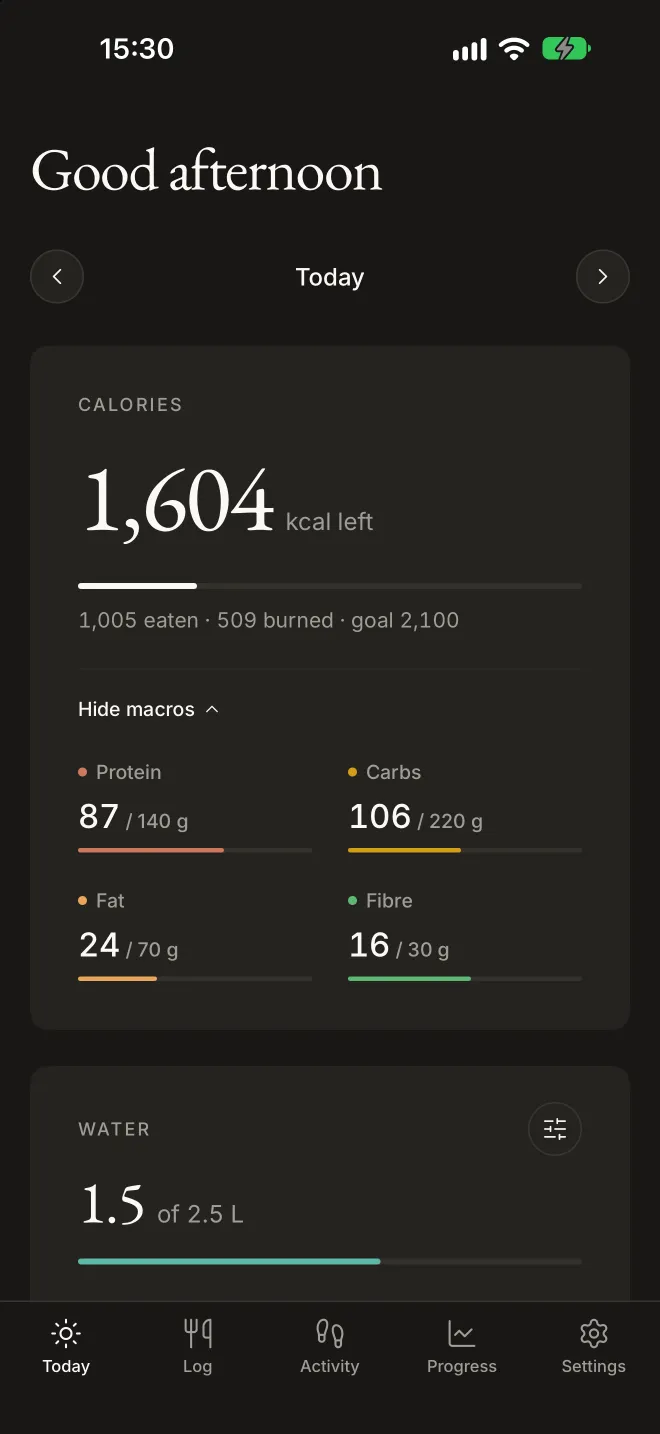
Fitnessly is a calm, simple way to track what you eat. Log food, water, weight and fasts, see your steps from Apple Health, and pay for it just once.
Coming soon to the App Store
£1.99, once.Every update included.
- No subscription
- No ads
- No account
- Stays on your iPhone
Features
Everything you need to eat to a goal. Nothing you don’t.
No feeds, no badges, no upsells. Just your numbers, set in type that’s easy to read at a glance.
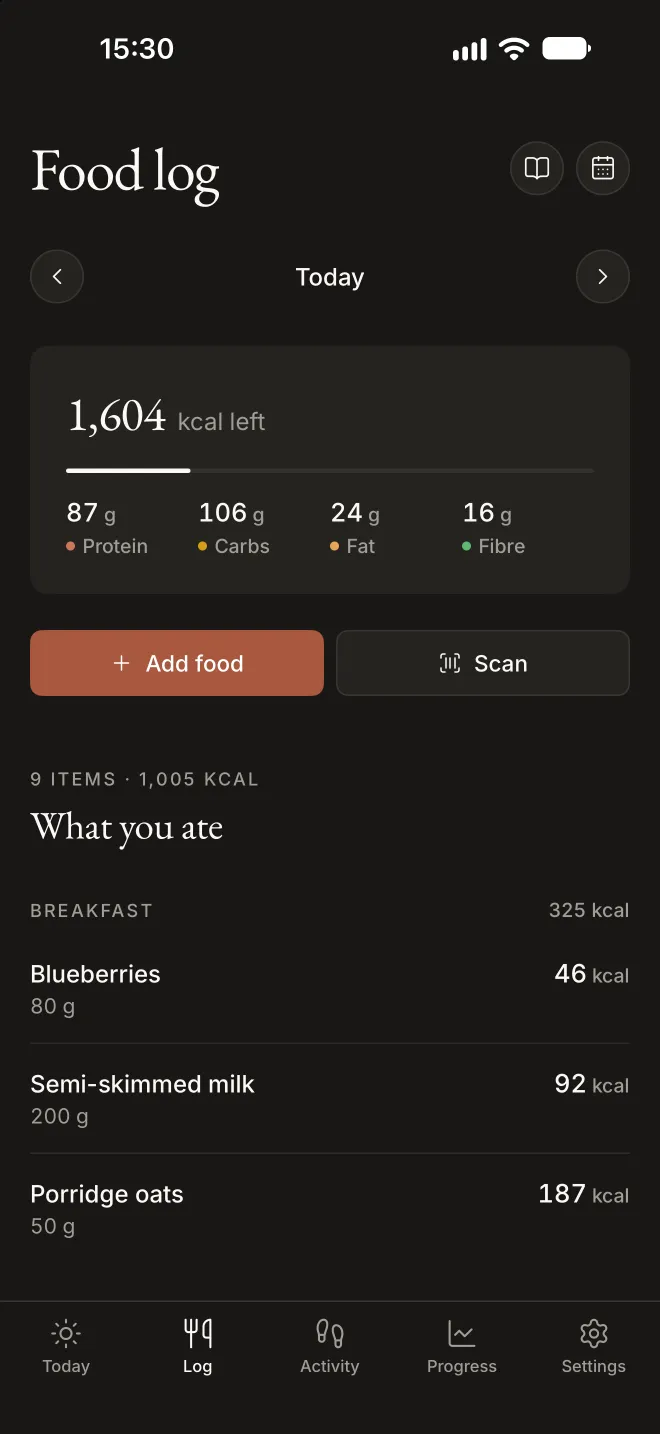
Food log
Log food in seconds.
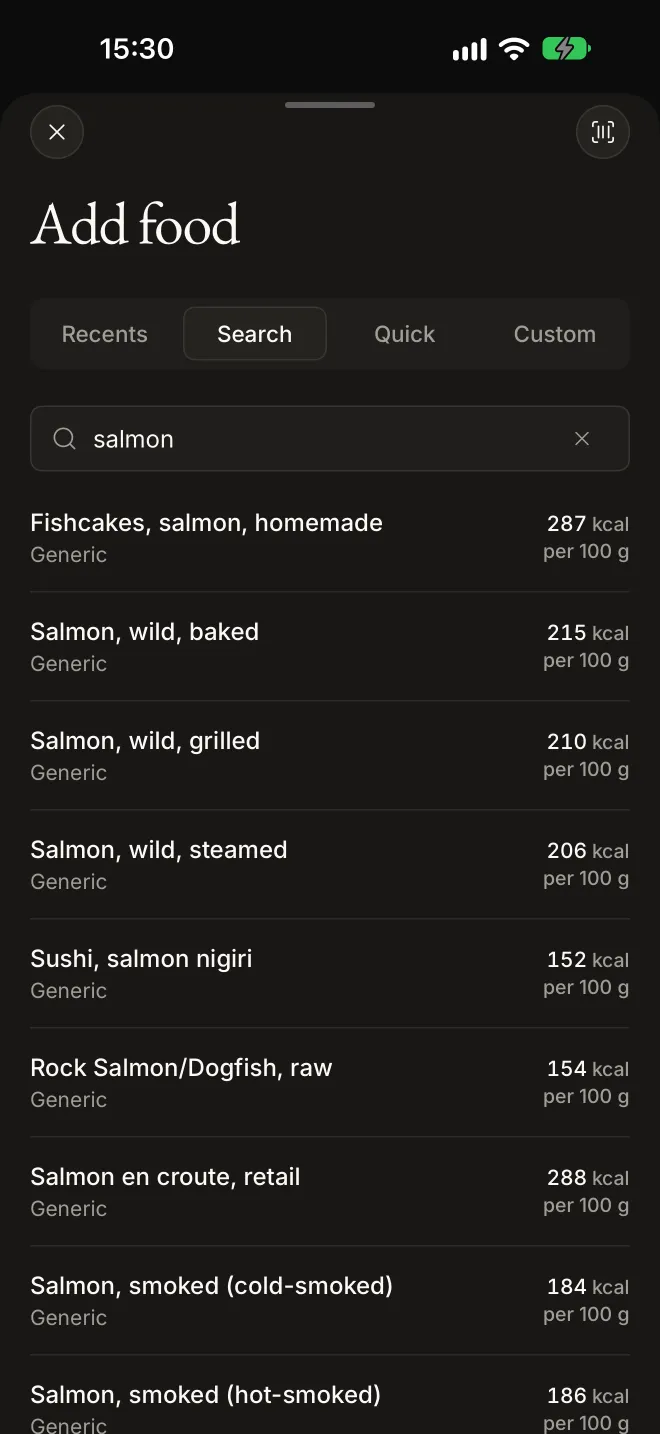
Scan a barcode, or search packaged products from Open Food Facts and thousands of generic UK foods from the government’s own nutrition data.
- Favourites and saved meals. Log the breakfast you always have in one tap.
- Quick add. Eating out? Log an estimate and move on.
- Plan ahead. Add tomorrow’s food today, or copy the day before.
Activity
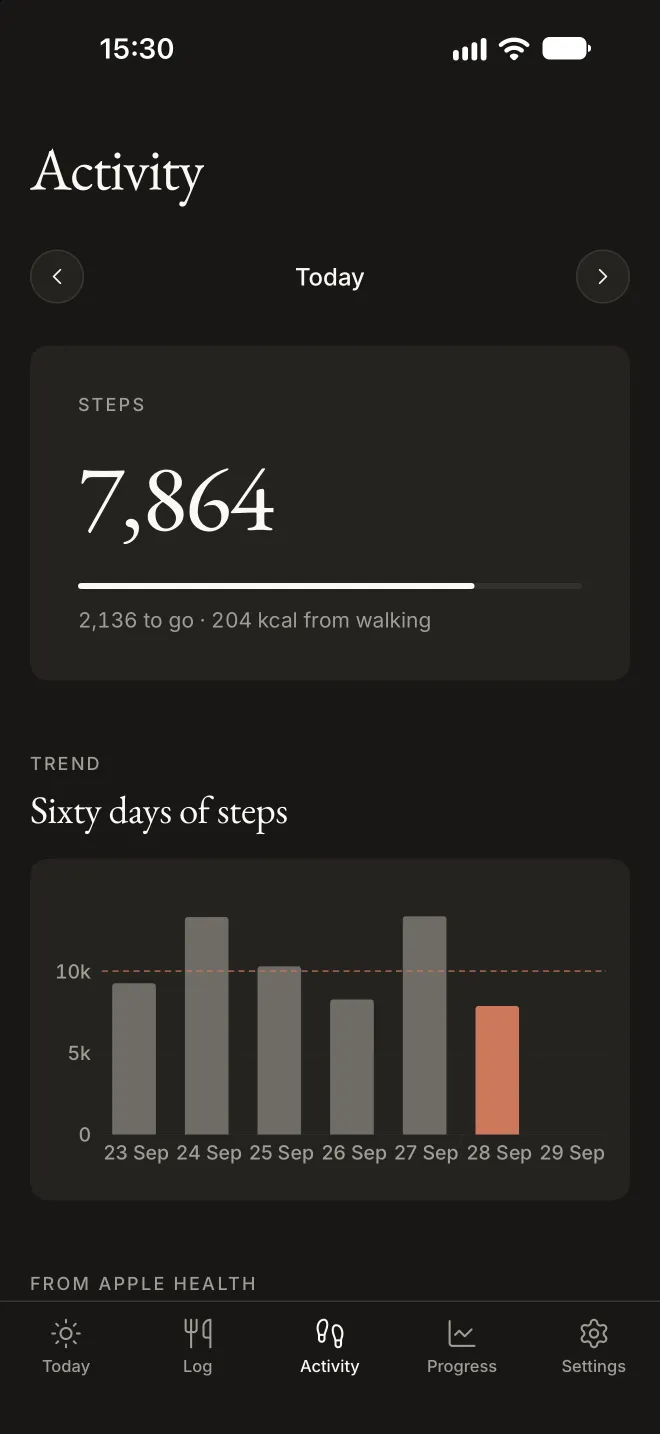
Steps and workouts, counted.
Fitnessly reads your steps and workouts from Apple Health, and can add the calories you burn back to your day: all of them, half, or none.
- Your steps against a daily goal, with sixty days of history.
- Every workout with its time and calories.
Progress
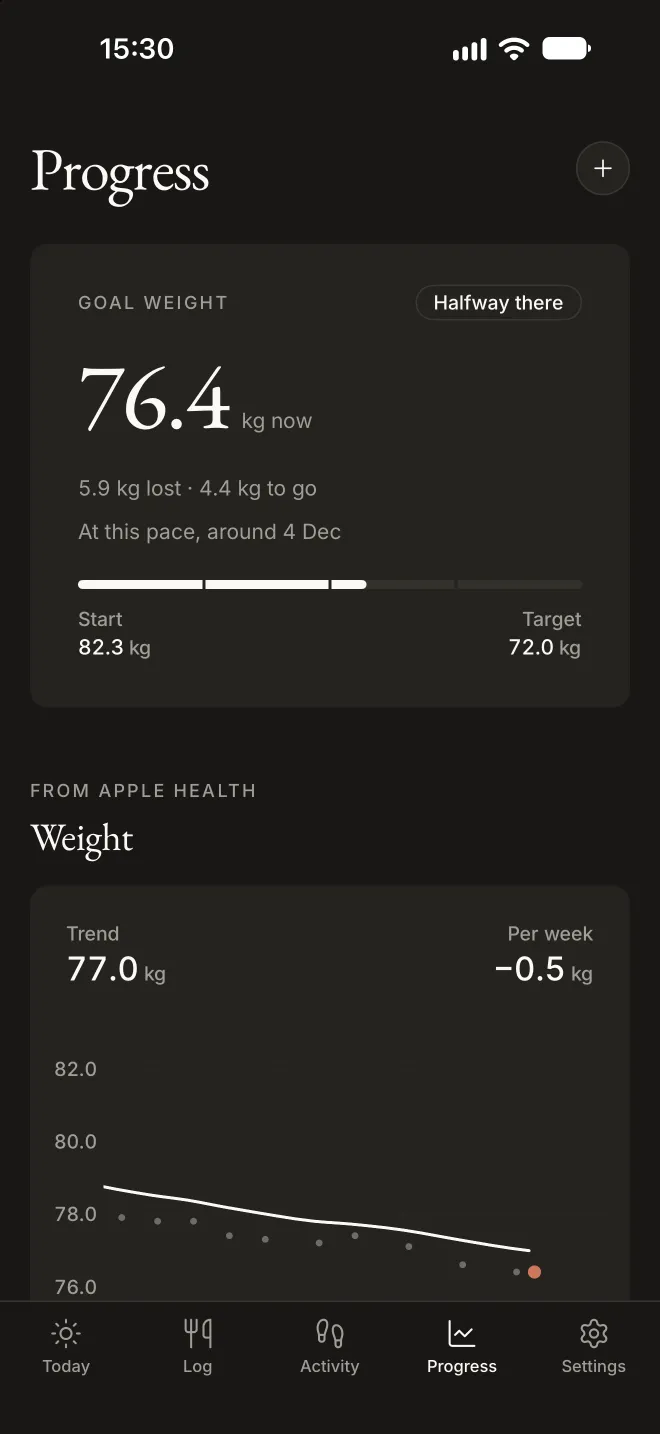
See where your weight is heading.
A smoothed trend cuts through day-to-day swings, so you see your real weekly rate and roughly when you’ll reach your goal.
- Progress photos, compared side by side, with a slider or a fade.
- Kilograms, or stone and pounds.
Fasting
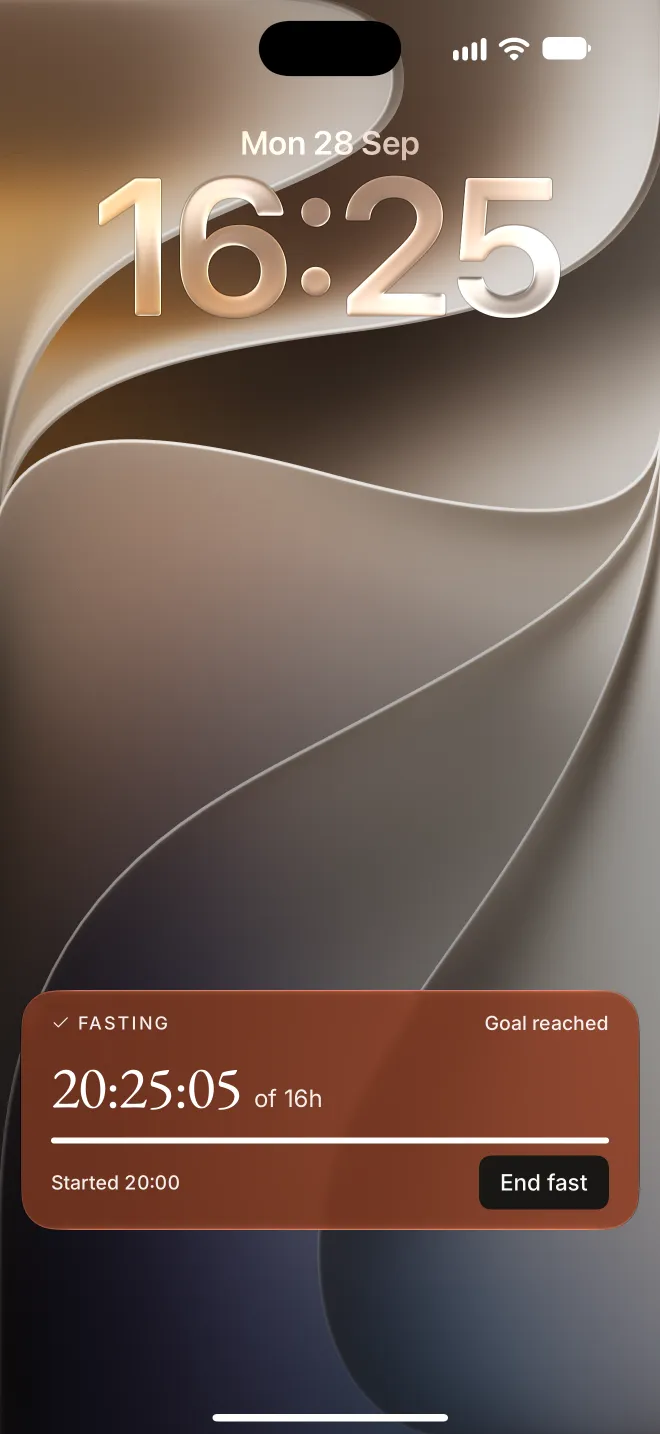
Your fast, on the Lock Screen.
Set a fasting schedule and follow a running fast on the Lock Screen, in the Dynamic Island and on Apple Watch. End it with one tap, without opening the app.
- Reminders when a fast starts and ends.
- Your streak, your longest fast and the last seven days.
And the small things
Thought through, down to the details.
Water in one tap
Log a glass from the app, the Home Screen widget, or by asking Siri.
Add a missing food once
If a barcode isn’t in the database, add the food once and the next scan finds it.
Works with Apple Health
Your weigh-ins, water and the nutrients you eat are saved to Health, if you want them there.
A week at a glance
History shows your average day, how many days you hit your goal, and your protein.
Gentle reminders
Optional nudges to drink water, check in with a weigh-in or photo, and start or end a fast.
Your photos, kept private
Progress photos are stored inside the app and never uploaded. Photos you take in Fitnessly aren’t added to your photo library.
Privacy
What you log stays on your iPhone.
There’s no account to make and nothing to sign in to. Fitnessly has no analytics and no tracking, and it never sends your Health data anywhere.
- Your food log, weigh-ins, photos, water and fasts are stored on your iPhone.
- Food searches and barcode scans go to our own food database, which doesn’t keep them.
Price
£1.99. Once.
No subscription, no ads, no in-app purchases and no premium tier. Buy it once and it’s yours, with every update.
- Every feature, from the first day.
- Every future update included.
- Less than a coffee.
UK price. The App Store sets the price in other countries.
Questions
Good to know.
Do I need an account?
No. Open the app, set your goals and start logging. There’s nothing to sign up for.
Where does the food data come from?
Packaged products come from Open Food Facts, a free database that people all over the world add to. Generic foods, like a baked potato or a boiled egg, come from CoFID, the UK government’s food composition dataset. UK products come first in search.
What does it do with Apple Health?
If you allow it, Fitnessly reads your steps, active energy, workouts, weight and water, and saves your weigh-ins, water and food nutrients. Your iPhone asks you about each one, and you can change your mind at any time in the Health app.
Which iPhones does it work on?
iPhone 11 or later, and iPhone SE (2nd generation) or later.
Where is my data kept?
On your iPhone. Your food log, weigh-ins, progress photos, water, fasts and goals are stored inside the app, and your iPhone’s own backups, to iCloud or to a computer, include them as they do for any app. Nothing you log is sent to us.
To find a food, Fitnessly sends the barcode or the words you type to our food database, which doesn’t keep them. Anything you choose to save to Apple Health is kept by Health.
Does Fitnessly track me?
No. Fitnessly has no analytics, no advertising and no account, and it doesn’t track you across apps or websites. We don’t log what you search for or scan. Your IP address is used only to limit how many lookups one device can make each minute, and isn’t stored. If you send feedback, we keep a scrambled form of your IP address for about a day to stop abuse, and the message for as long as it helps us improve Fitnessly.
If you’ve turned on Share With App Developers in your iPhone’s settings, Apple may send us crash reports that don’t identify you. This website has no cookies and no analytics either.
How do I delete my data?
In Fitnessly, go to Settings > Your data > Delete all data. You can choose to delete what Fitnessly saved to Apple Health too. Backups of your iPhone made before then keep a copy until they’re replaced.
Is it medical advice?
No. Fitnessly helps you keep track, but it isn’t medical advice. Talk to a doctor before a big change to what you eat, or if you’re pregnant or have a health condition.
How do I get help?
Email feedback@iosly.app.
Track calories, calmly.
One small payment, no subscription, and your data stays yours.